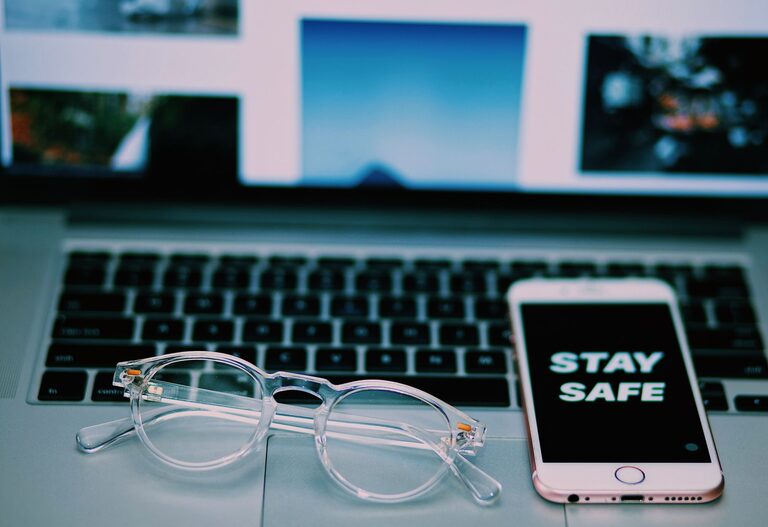
Keeping your phone and keyboard clean is essential not only for the longevity of your devices but also for your personal hygiene. These frequently used gadgets often harbor germs, dust, and dirt, which can affect their performance and your health. In this guide, we will walk you through safe, practical steps to clean your phone and keyboard without causing any damage.
Why Cleaning Your Devices Matters
Phones and keyboards accumulate oils from your skin, dust, food particles, and bacteria. Over time, this build-up can:
– Lead to sticky or unresponsive keys.
– Cause smudges or damage to your phone’s screen.
– Increase the risk of transferring germs.
Regular cleaning keeps your devices working smoothly and helps maintain a healthy environment.
General Tips Before You Start
Before you begin cleaning any electronic device, keep these precautions in mind:
– Unplug your devices: For keyboards, disconnect from your computer or power source. For phones, turn them off.
– Avoid excessive moisture: Never spray cleaning solutions directly onto the device.
– Use gentle products: Harsh chemicals can damage screens, plastics, or finishes.
– Be patient and gentle: Aggressive scrubbing might damage keys or screen coatings.
How to Clean Your Phone Safely
Materials You’ll Need
– Microfiber cloth (lint-free)
– Mild soap or specialized screen cleaner
– Isopropyl alcohol (70% or less)
– Cotton swabs
– Soft-bristled brush (optional)
Step-by-Step Cleaning Process
#### 1. Power Off Your Phone
Switch off your phone and unplug it from any charger or accessories.
#### 2. Remove the Case
Take off any protective case to clean both the phone and case separately.
#### 3. Wipe the Screen and Body
Dampen a microfiber cloth slightly with water mixed with a drop of mild soap or use a screen-safe cleaner. Gently wipe the screen, back, and sides of your phone.
#### 4. Use Isopropyl Alcohol for Disinfection
Slightly moisten a microfiber cloth or cotton swab with 70% isopropyl alcohol and gently wipe surfaces such as the phone’s edges and buttons. Avoid getting moisture in openings such as speaker grilles or charging ports.
#### 5. Clean the Ports and Speaker Grills
Use a soft-bristled brush or dry cotton swabs to remove dust and debris from charging ports, headphone jacks, speakers, and microphones.
#### 6. Dry and Reassemble
Allow your phone and case to dry completely before putting the case back on and powering the device on.
How to Clean Your Keyboard Safely
Materials You’ll Need
– Microfiber cloth
– Isopropyl alcohol (70% or less)
– Cotton swabs
– Compressed air canister
– Soft brush (such as a paintbrush)
Step-by-Step Cleaning Process
#### 1. Disconnect the Keyboard
Unplug your keyboard or turn it off if wireless.
#### 2. Remove Loose Debris
Turn the keyboard upside down and gently shake it to dislodge crumbs and debris.
#### 3. Use Compressed Air
Spray compressed air between the keys to remove dust and particles lodged underneath.
#### 4. Wipe the Surface
Lightly dampen a microfiber cloth with 70% isopropyl alcohol or water with mild soap and wipe the keys and keyboard surface. Avoid over-wetting the cloth.
#### 5. Clean Between Keys
Dip cotton swabs in isopropyl alcohol and carefully clean spaces between keys, removing residue and buildup.
#### 6. Use a Soft Brush for Stubborn Dirt
A soft brush can help remove dirt from the edges and corners where cloths can’t reach.
#### 7. Allow the Keyboard to Dry
Let your keyboard air dry completely before reconnecting or powering it back on.
Additional Tips for Maintenance
– Clean your devices regularly, ideally once a week or as needed.
– Wash your hands before using devices to reduce grime buildup.
– Avoid eating or drinking near your keyboard and phone.
– Use screen protectors and keyboard covers to minimize dirt accumulation.
Conclusion
Keeping your phone and keyboard clean is easier than you might think and provides significant benefits to your device’s performance and your well-being. By following these safe cleaning steps and using the right tools, you can maintain your gadgets in excellent shape without risking damage. Establish a regular cleaning routine and enjoy a fresh, hygienic workspace and phone every day.
About the Author